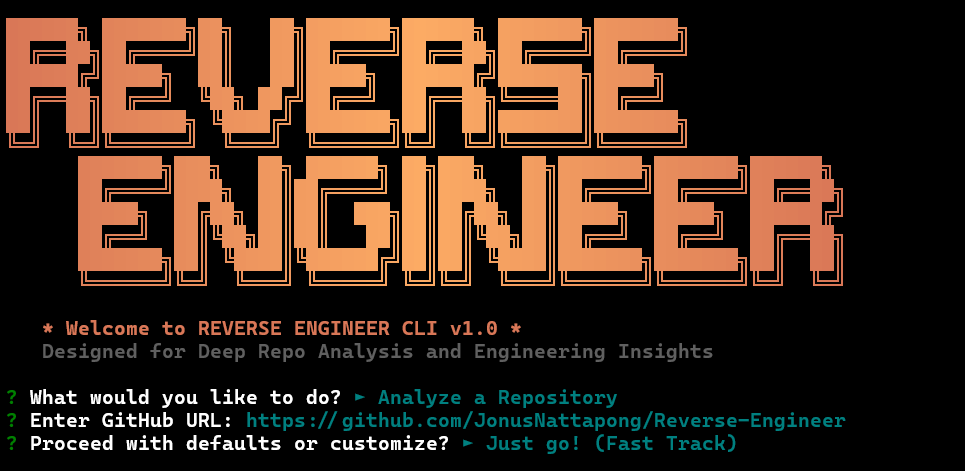
ระบบวิเคราะห์และถอดรหัสโครงสร้างซอฟต์แวร์ด้วย AI Agent
เวอร์ชัน: v1.1.6
รองรับแหล่งข้อมูล: GitHub Repository, Local Path, Live Website URL
Revers.mp4
REVERSE ENGINEER เป็นเครื่องมือวิเคราะห์สถาปัตยกรรมซอฟต์แวร์ที่ขับเคลื่อนด้วย AI Agent โดยระบบจะดึงบริบทจริงจากแหล่งข้อมูลที่กำหนด วิเคราะห์โครงสร้างโค้ด ตรวจสอบ API Endpoint และสังเคราะห์ผลลัพธ์ออกมาเป็น Technical Blueprint ที่พร้อมส่งต่อให้ AI Coding Assistant นำไปสร้างระบบได้ทันที
/
├── index.js          # Launcher หลัก — จัดการการเริ่ม/หยุด Server
├── /cli              # Terminal User Interface (TUI) และตรรกะการทำงานของ Agent
├── /server           # API Gateway, GitHub Fetcher, ระบบจัดการข้อมูล
└── /public           # Web Dashboard (Bento UI)
ระบบรองรับการวิเคราะห์จากสามแหล่งข้อมูล:
- GitHub Repository — ดึงโครงสร้างไฟล์และโค้ดผ่าน GitHub API (แนะนำให้ตั้งค่า
GITHUB_TOKENเพื่อเพิ่ม Rate Limit) - Local Path — วิเคราะห์ Codebase บนเครื่องโดยตรง
- Live Website URL — ใช้ Playwright เปิด Browser จริงเพื่อ Render JavaScript (รองรับ SPA), ดักจับ XHR/Fetch Request และ Deobfuscate Minified JavaScript โดยอัตโนมัติ
Agent ไม่ได้พึ่งพา Context Window ของโมเดลเพียงอย่างเดียว แต่ใช้ระบบ Working Memory ดังนี้:
ANALYSIS_RESULT_DRAFT.md— ไฟล์ Working Memory ที่ Agent จดผลวิเคราะห์ระหว่างทำงาน โดยแต่ละ Section แยกข้อเท็จจริงที่มีหลักฐาน (Facts) ออกจากข้อสันนิษฐาน (Hypotheses) เพื่อลด Hallucination สะสม- Checkpoint Reread — ทุก 4 Turns Agent จะอ่าน Draft ย้อนกลับเพื่อตรวจสอบช่องโหว่และกำหนดสิ่งที่ต้องวิเคราะห์ต่อ
BLUEPRINT_PROMPT.md— ผลลัพธ์ปลายทาง Agent จะ Rewrite Draft ให้เป็น Technical Specification ที่ครอบคลุมโครงสร้างข้อมูล, Business Logic และความสัมพันธ์ระหว่างโมดูล พร้อมส่งต่อให้ Coder AI โดยตรง
Draft จะ Stream แบบ Real-time ทั้งใน TUI และ Web Dashboard
โหมดนี้สร้าง Technical Specification ที่ระบุ:
- โครงสร้างข้อมูลและ Data Model
- Business Logic และ Control Flow หลัก
- ความสัมพันธ์ระหว่างโมดูล (Module Dependency)
- API Endpoint ที่ตรวจพบ
ออกแบบมาสำหรับการนำไปใช้ใน AI Coding Assistant เพื่อ Re-implementation หรือพัฒนาต่อยอด
Web Dashboard (Bento UI)
- Cinematic Dark Mode พร้อม Bento Layout
- แสดงผล Live Draft Streaming ระหว่าง Agent ทำงาน
- Blueprint Mode สำหรับ Export Technical Prompt
Professional 4-Phase TUI ระบบการทำงาน 4 ขั้นตอนผ่าน Terminal:
- Handshake — ตรวจสอบการเชื่อมต่อและ Permission
- Extraction — สกัดโครงสร้างและโค้ดจากแหล่งข้อมูล
- Synthesis — วิเคราะห์และสังเคราะห์สถาปัตยกรรม
- Delivery — ส่งมอบ Blueprint
npx bluepromptnpm install
npm startระบบจะเริ่มทำงานที่ http://localhost:4040
สร้างไฟล์ .env ที่ Root Directory หรือตั้งค่าผ่านเมนู [*] Configure API Keys / Models ใน TUI (ค่าที่บันทึกผ่านเมนูจะถูกเก็บไว้ใน AppData ถาวร ไม่ต้องกรอกซ้ำเมื่อเปลี่ยน Working Directory):
OPENAI_API_KEY=your_key_here
ANTHROPIC_API_KEY=your_key_here
KILOCODE_API_KEY=your_key_here
GITHUB_TOKEN=recommended_for_higher_rate_limitsเข้าเมนู [P] Edit Prompt Templates เพื่อแก้ไข System Prompt ที่ Agent ใช้วิเคราะห์ เช่น กำหนดให้เน้นตรวจหา Security Vulnerability, สรุปแบบย่อ หรือปรับพฤติกรรมของ Agent ตามต้องการ
# วิเคราะห์ Repository ทั้งหมดในรูปแบบ Blueprint (ภาษาไทย)
npm run tui -- --url "https://github.com/user/repo" --style blueprint --language Thai

# วิเคราะห์ไฟล์เฉพาะด้วย Anthropic Claude
npm run tui -- --url "https://github.com/user/repo/blob/main/file.py" \
  --provider anthropic \
  --model claude-3-5-sonnet-latest

# รัน Agent Sandbox (สร้าง Working Draft + Blueprint แยกไฟล์)
node cli/index.js --url "https://github.com/user/repo" --agent| ไฟล์ | คำอธิบาย |
|---|---|
ANALYSIS_RESULT_DRAFT.md |
Working Memory ที่ Agent ใช้บันทึกและแก้ไขผลวิเคราะห์ระหว่างทำงาน |
BLUEPRINT_PROMPT.md |
Technical Blueprint ฉบับสมบูรณ์ พร้อมส่งต่อให้ AI สร้างระบบต่อ |
SYSTEM_BLUEPRINT.md |
ไฟล์ Legacy ที่ระบบยังอ่านย้อนหลังได้ แต่ไม่ใช้เป็น Output หลักอีกต่อไป |
| ฟีเจอร์ | รายละเอียด |
|---|---|
| Persistent Workspace | กำหนด Working Directory ถาวรผ่านเมนู [W] |
| Full Terminal Access | Agent สั่งรัน Shell Command ใน Workspace เพื่อวิเคราะห์เชิงลึก |
| Browser Automation | Playwright ควบคุม Browser จริงสำหรับ SPA และ API Sniffing |
| JS Deobfuscation | จัดรูปแบบ Minified JavaScript อัตโนมัติก่อนส่งให้ AI วิเคราะห์ |
© 2026 REVERSE ENGINEER | Engineered for Architects and Security Researchers