Job Sphere is a modern, full-stack job application platform designed to connect job seekers with employers seamlessly. The platform provides robust functionalities for browsing job listings, applying for jobs dynamically, and a complete user authentication system to secure the application process.
The project is divided into two main folders:
- Frontend: A highly responsive, modern UI built for job seekers.
- Backend: A secure, scalable RESTful API handling business logic and data persistence.
Project Video Link: https://youtu.be/9rXZsi4k7bM
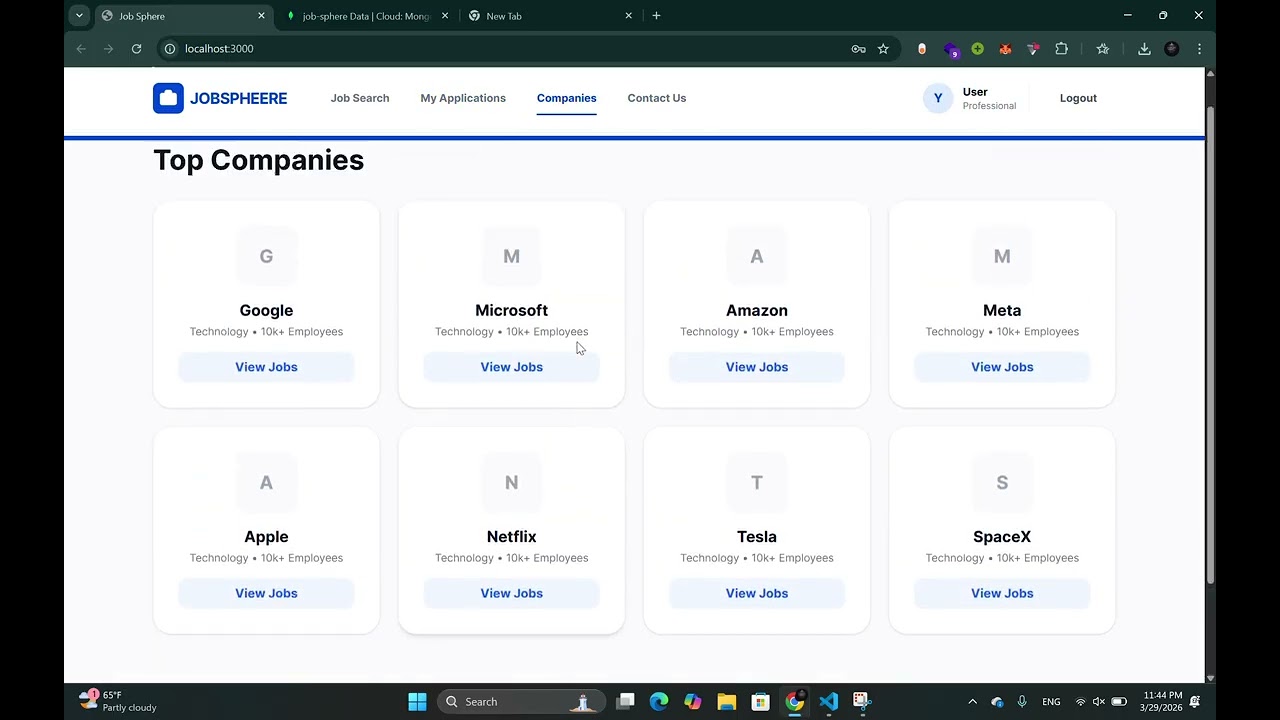
The frontend is a Single Page Application (SPA) structured with modern web technologies, focusing on delivering a fast, interactive, and beautiful user experience.
- React 19 & Vite: For lightning-fast development and optimized production builds.
- Tailwind CSS v4: For utility-first, fully responsive styling.
- Framer Motion: For smooth, dynamic page transitions and interactive micro-animations.
- Formik & Yup: For efficient form state management and schema-based validation (used in login, registration, and application forms).
- Axios: For making HTTP requests to the backend API.
- Lucide React: For elegant and consistent iconography.
- Job Discovery: Search, filter, and view detailed job postings.
- Dynamic Apply: Users can apply for jobs securely from the Job Details page.
- User Authentication UI: Includes interactive Login and Registration pages that communicate with the backend.
- Form Validation: Immediate feedback on form inputs to ensure data integrity before submission.
The backend serves as the foundation of Job Sphere, built to securely process requests, manage authentication, and handle database operations.
- Node.js & Express.js: For creating a lightweight, fast, and robust RESTful API.
- MongoDB & Mongoose: A NoSQL database for flexible data storage, using Mongoose for object modeling.
- JWT (JSON Web Tokens): Used for stateless, secure user authentication and authorization. Only logged-in users can apply for jobs or view specific sensitive endpoints.
- Bcrypt.js: For securely hashing and salting user passwords.
- CORS & Dotenv: For secure cross-origin requests and environment variable management.
- User Management: API endpoints for registering users, authenticating logins, and issuing JWTs.
- Job Endpoints: RESTful routes to fetch job listings, retrieve job details, and manage job applications.
- Security Check: Middleware to ensure that only authenticated (logged-in) users can submit job applications. User IDs are automatically tied to their applications.
- Database Seeding: Included scripts to quickly populate the MongoDB database with initial sample job data.
To run Job Sphere on your local machine, you will need to start both the Frontend and Backend servers.
- Open a terminal and navigate to the backend folder:
cd backend - Install dependencies (if you haven't already):
npm install
- Set up your environment variables (e.g.,
MONGO_URI,JWT_SECRET) in a.envfile within thebackendfolder. - Run the development server:
npm run dev
- Open a new, separate terminal and navigate to the frontend folder:
cd frontend - Install dependencies (if you haven't already):
npm install
- Run the development server:
npm run dev
Job Sphere demonstrates excellent full-stack engineering practices, ensuring a clean separation of concerns between the client and the server, secure data handling, and an engaging, beautiful user interface.
© 2026 Yeabsra Andnet. All rights reserved.