This tool let you customize your desktop to your liking.
I develop Artifacter and LiteDesktopStudio, but I do not have much spare time for development. I am accepting donations. Your support encourages continued development.

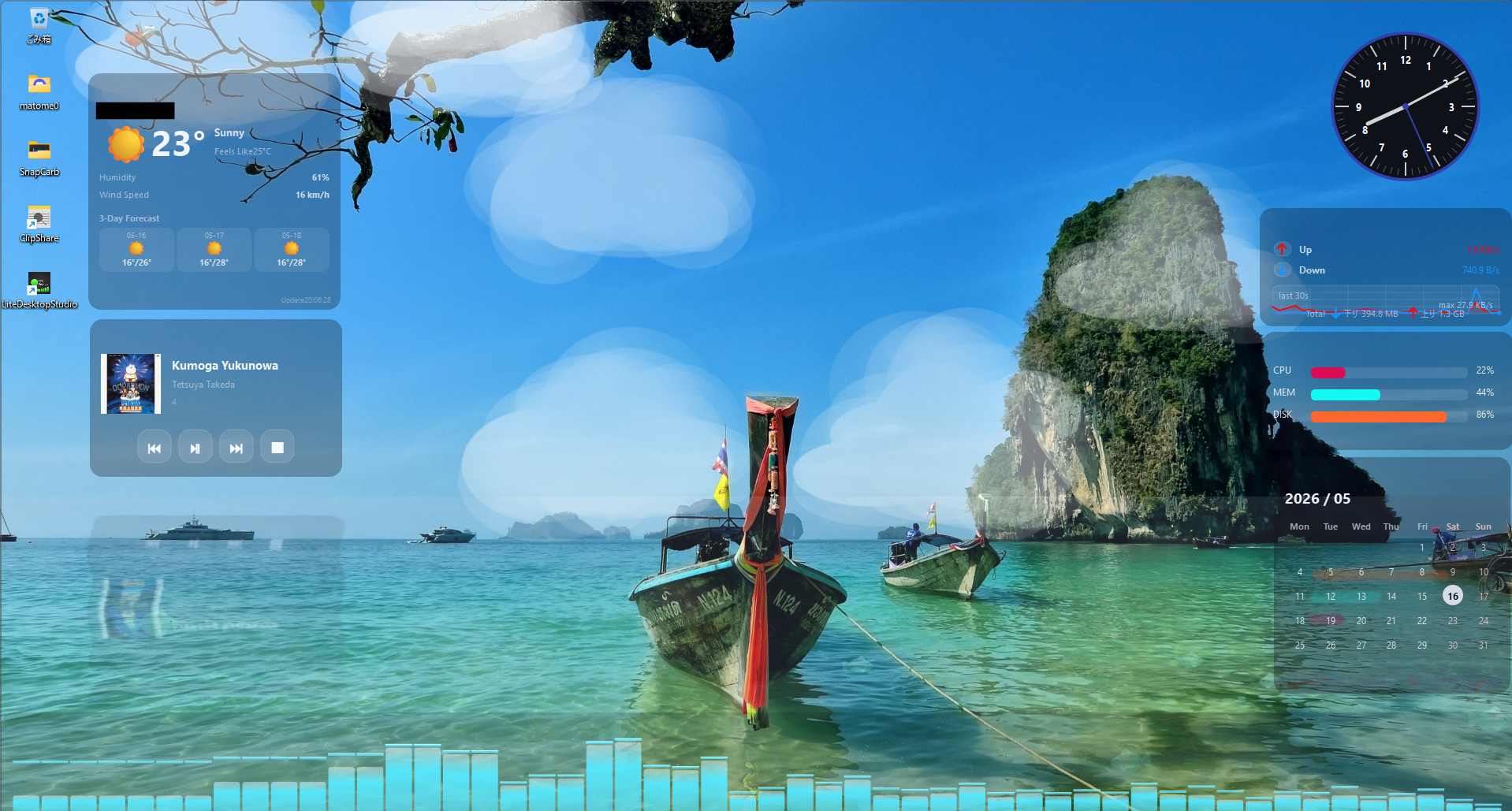
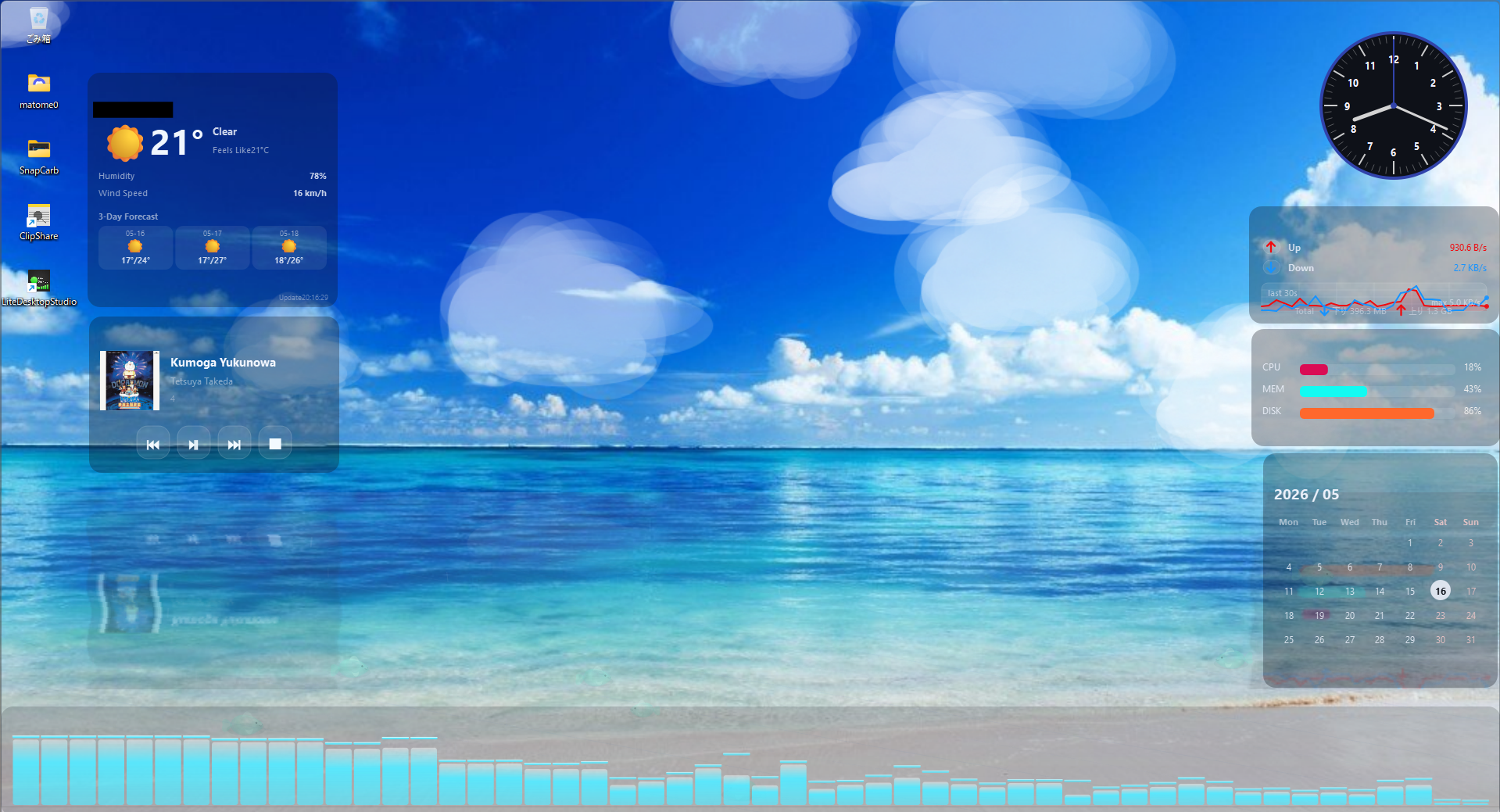
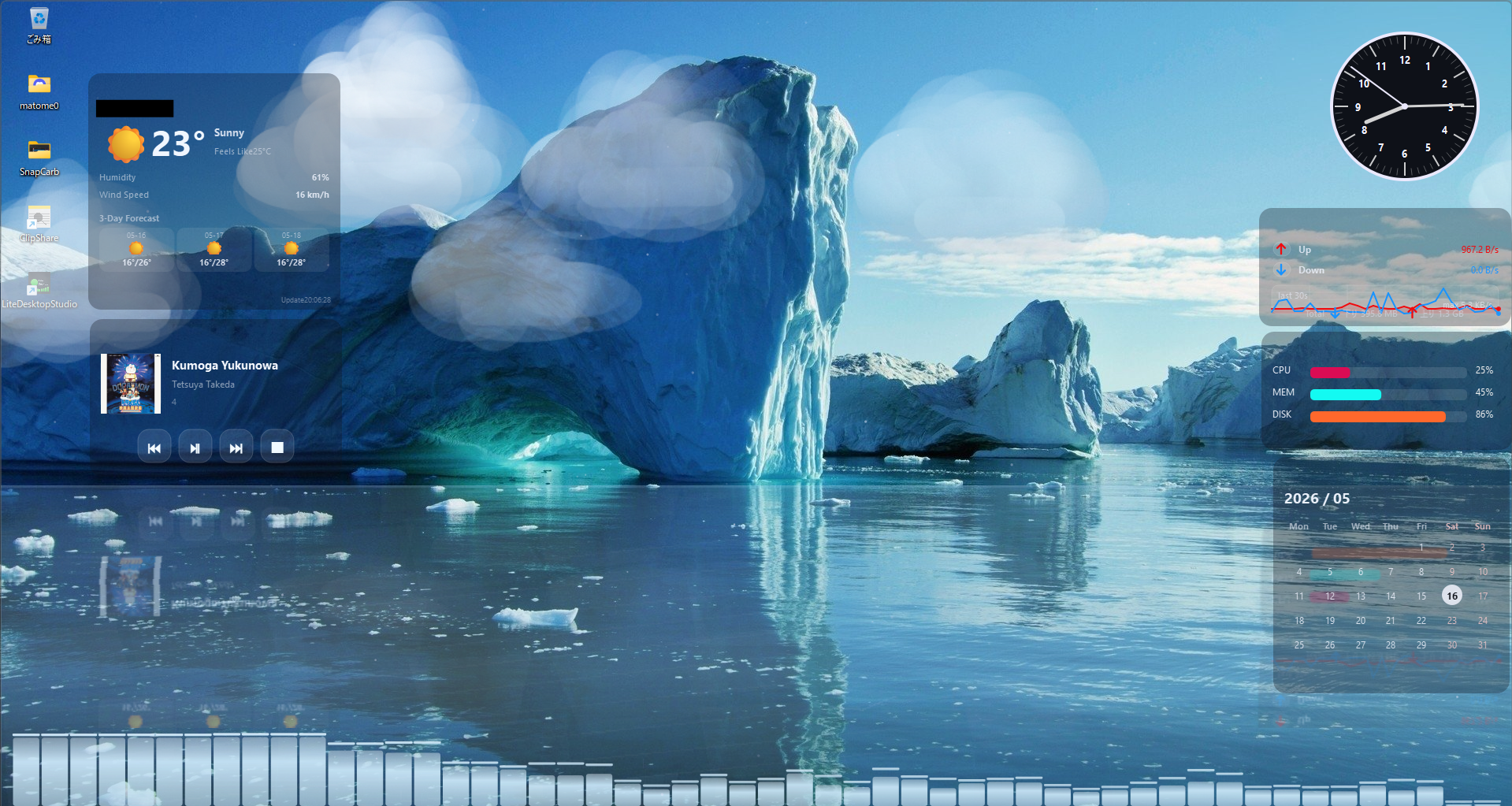
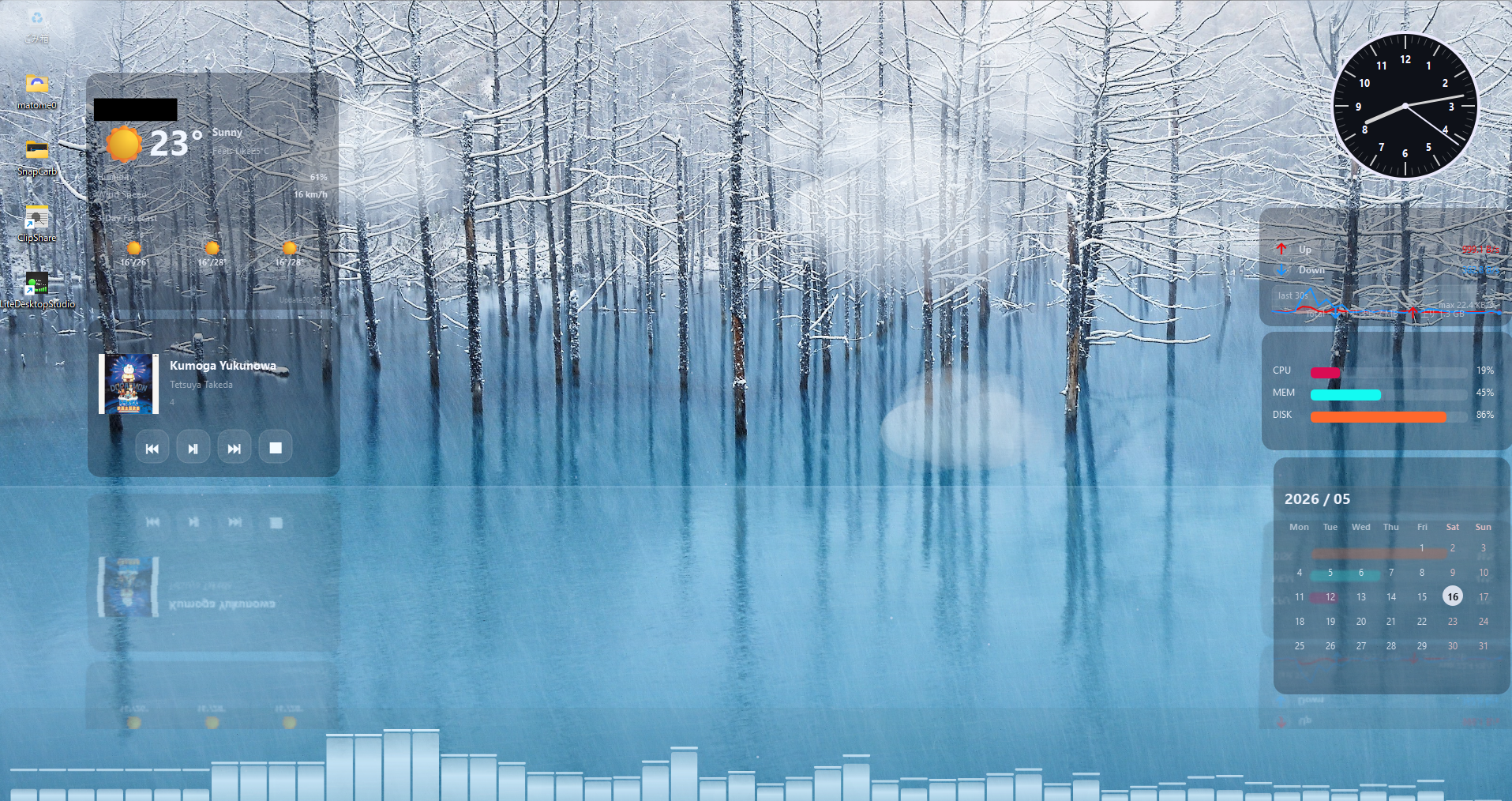
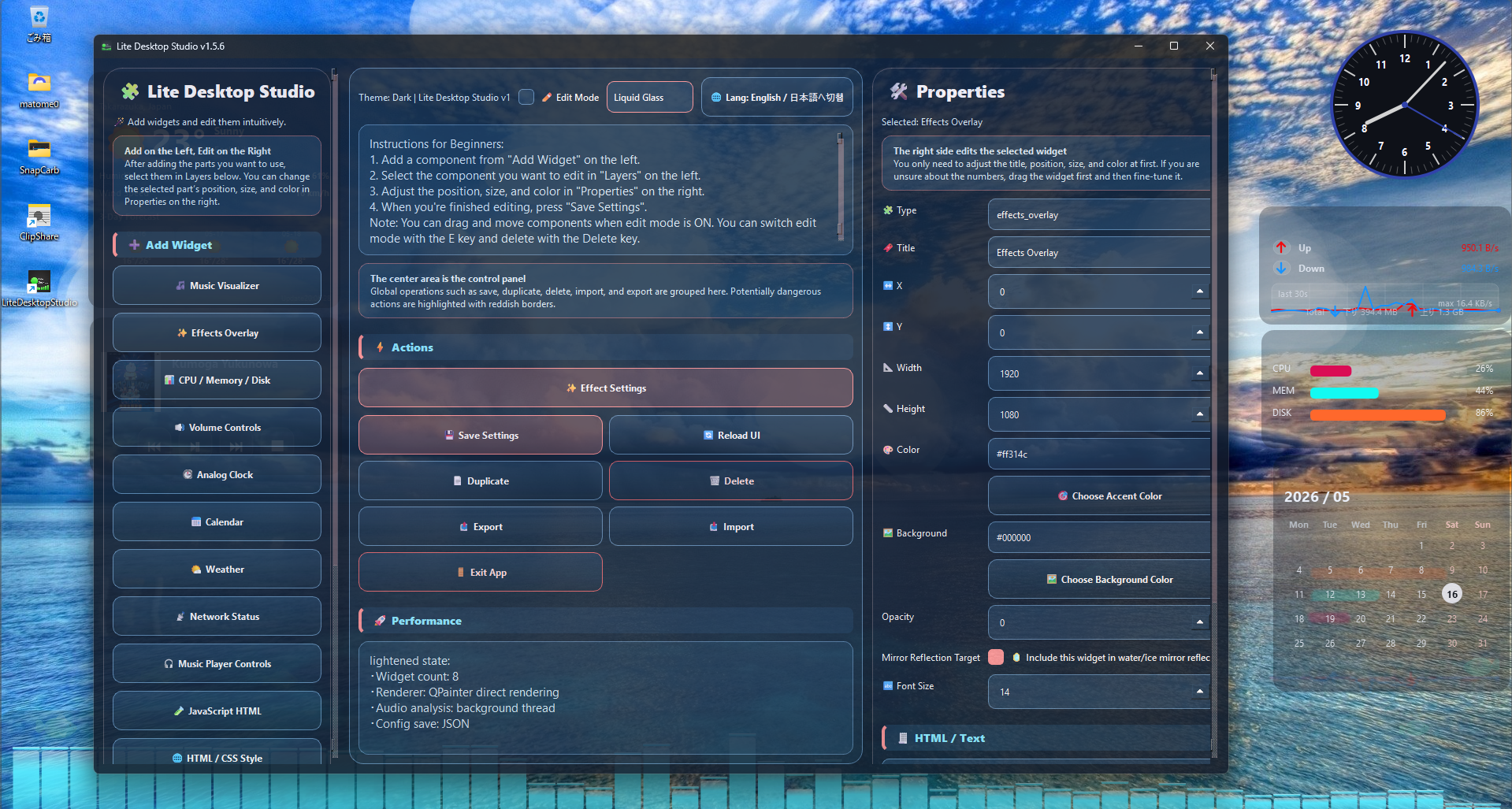
LiteDesktopStudio is not just a desktop gadget. It is a lightweight desktop studio that lets you rebuild your desktop into a space that is easier to read, more enjoyable, and tailored to your own style.
-
Freely place widgets on your desktop
Place widgets such as a music spectrum visualizer, system information, network status, volume controls, clock, calendar, weather, media controls, and HTML/CSS-style widgets anywhere on your desktop, with your preferred position and size.
-
Intuitive editing experience
Open the settings screen by quickly right-clicking twice. Select a widget with the left mouse button and press the
Ekey to edit its placement. The app stays out of your way during normal use, while still letting you edit quickly when needed. -
Detailed visual customization
You can adjust opacity, background color, accent color, size, position, and other settings for each widget. Match your desktop wallpaper or theme, whether you prefer a calm layout or a more vivid presentation.
-
Settings screen themes such as Liquid Glass, Dark, Material, and Light
The settings screen can be switched between styles such as translucent designs and dark-themed designs. You can enjoy changing the overall look while editing your desktop.
-
Music-reactive visualizer
The music spectrum widget displays bars that move in response to currently playing audio. With peak bars and glow effects, your desktop can become a visual space that moves with your music.
-
Easy-to-read network status display
Display upload and download speeds as well as history graphs, making network activity easy to understand at a glance. Directional arrow icons and upload/download labels help make the traffic direction easier to read.
-
Desktop effects with effect overlays
Add visual effects over your desktop, including rain, particles, glow, ripples, rose petals, cherry blossoms, snow, water, fire, and shooting stars. You can turn only the effects you need on or off, helping you balance appearance and performance.
-
Extend flexibility with HTML/CSS-style widgets
Advanced users can create custom widgets using simple HTML/CSS-style content. Add your own notes, link collections, decorative panels, and other personalized displays.
-
Easy to customize because it is built with PySide6
LiteDesktopStudio is implemented with Python and PySide6, making it easier for users who can read the source code to add widgets, modify drawing behavior, or extend the settings.
-
A desktop tool designed to balance lightness and visual appeal
LiteDesktopStudio aims to provide practical information displays while also using transparency, glow, animation, and effects to turn the desktop from a place you simply use into a place you can enjoy looking at.
- On Windows, the configuration file is generated directly under
%PROFILES%. - On non-Windows systems, the configuration file is placed in the user directory.
- Multilingual support
- Implement as many features as possible within the range supported by PySide6