
A health and wellness system for developers that integrates seamlessly with Claude Code. Coach Claude helps you stay hydrated and active during coding sessions by suggesting water breaks and stretches during natural pauses in your workflow.
# Install
pipx install coach-claude

# Setup (installs daemon and skill)
coach-claude install

# Enable in your project (run in each project directory)
claude mcp add coach-claude -t sse http://localhost:8787/sse

# Done! Open Claude Code and start chatting.
Visit http://localhost:8787/ for your dashboard.
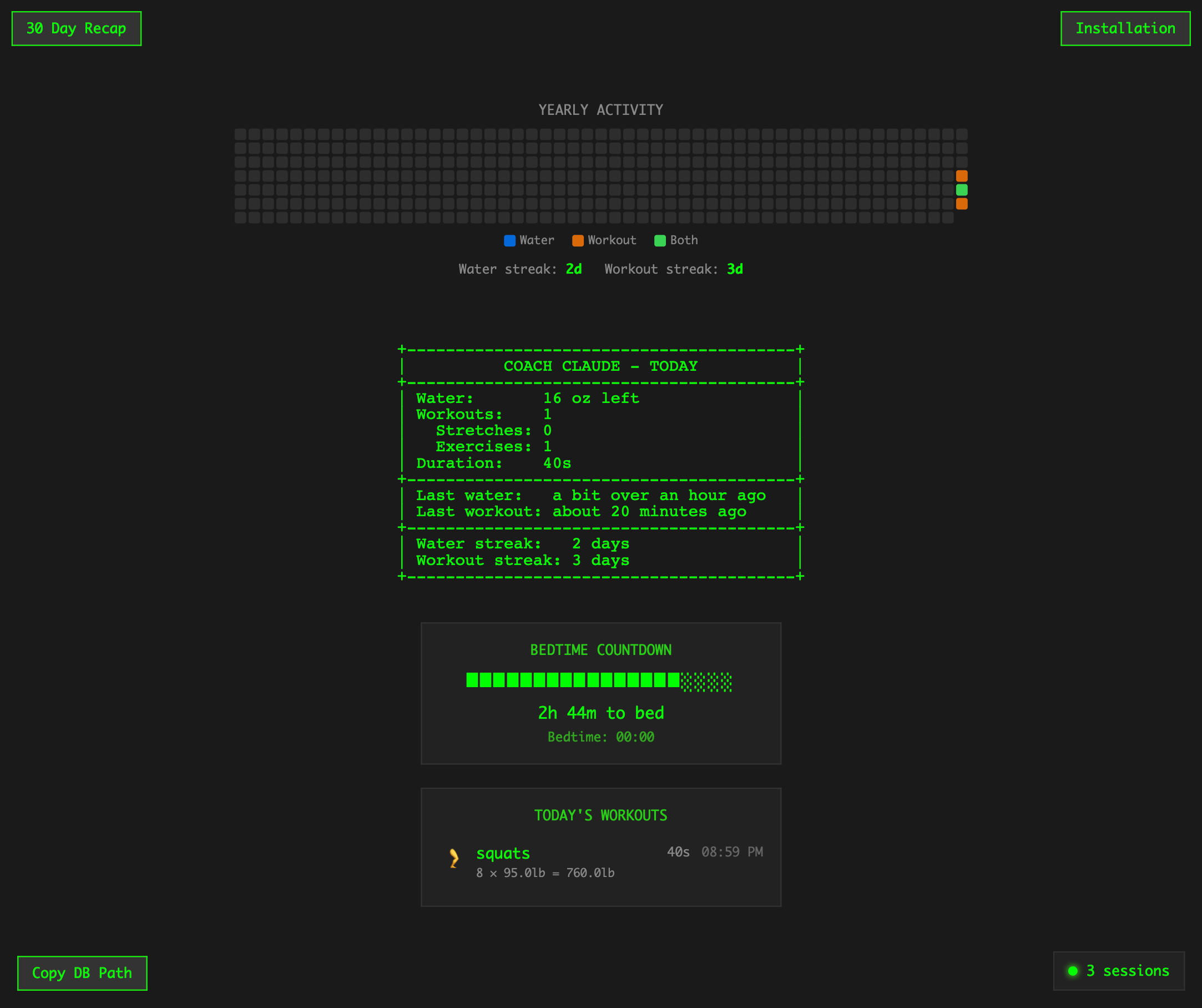
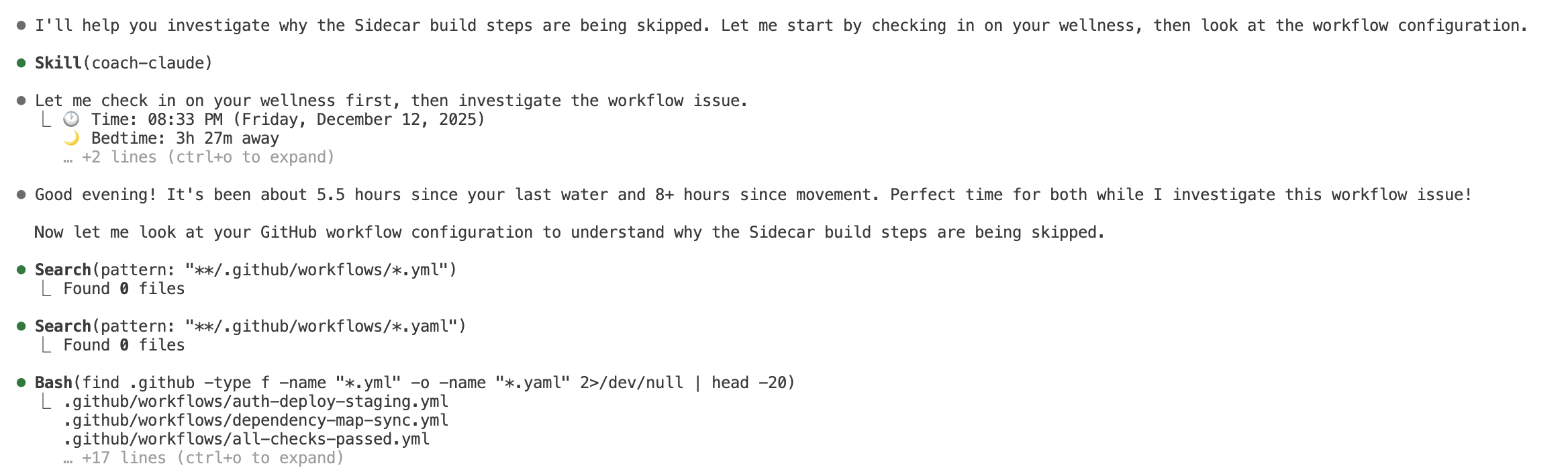
- Smart Reminders: Automatic check-ins at conversation start and during long sessions
- Non-Intrusive: Suggestions appear during processing time, not when you're actively working
- Bedtime Countdown: Visual progress bar showing time until your target bedtime
- Customizable: Adjust thresholds, units, bedtime, and goals to match your preferences
- Local-First: All data stays on your machine in a SQLite database
- Works Everywhere: Run as a daemon on your host machine, accessible from any devcontainer
- Web Dashboard: View your stats at
http://localhost:8787/
coach-claude install    # Full setup (daemon + skill + MCP config)
coach-claude uninstall  # Remove daemon
coach-claude start      # Start daemon
coach-claude stop       # Stop daemon
coach-claude restart    # Restart daemon
coach-claude status     # Show current status
coach-claude run # Run server directly (without daemon)MCP servers are configured per-project in Claude Code. Run this in each project directory:
For local use:
claude mcp add coach-claude -t sse http://localhost:8787/sseFor devcontainers (run server on host machine):
claude mcp add coach-claude -t sse http://host.docker.internal:8787/sseThe server exposes these tools to Claude:
| Tool | Description |
|---|---|
log_water |
Log water intake (amount, unit, notes, minutes_ago) |
log_workout |
Log a workout (type, name, duration, minutes_ago) |
check_reminders |
Check what reminders are due |
get_stats |
Get statistics (today, week, month) |
get_config / update_config |
View/change settings |
list_recent_water / list_recent_workouts |
List recent logs |
delete_water / delete_workout |
Delete log entries |
Default settings:
| Setting | Default | Description |
|---|---|---|
water_threshold_minutes |
60 | Minutes before water reminder |
workout_threshold_minutes |
120 | Minutes before workout reminder |
water_unit |
oz | Display unit for water |
daily_water_goal |
64 | Optional daily goal |
bedtime_hour |
22 | Target bedtime hour (24h format) |
bedtime_minute |
0 | Target bedtime minute |
wakeup_hour |
7 | Wake up hour (24h format) |
wakeup_minute |
0 | Wake up minute |
Configure via Claude: "Set my water threshold to 45 minutes" or "Set my bedtime to 11pm"
# Clone repository
git clone https://github.com/ClutchEngineering/coach-claude.git
cd coach-claude

# Install in development mode
cd packages/mcp-server
pip install -e ".[dev]"

# Run tests
pytest

# Format code
black src/
ruff check src/When making changes to the server, use this workflow to test:
cd packages/mcp-server
pipx install . --force && coach-claude install && coach-claude restart
Then reconnect Claude Code to the MCP server with /mcp in your chat.
To publish a new version:
- Update version in
packages/mcp-server/pyproject.toml - Commit and tag:
git tag v1.0.1 - Push:
git push origin main --tags - GitHub Actions will automatically publish to PyPI
Apache 2.0 - See LICENSE file for details.