RAG - Natural Language Processing Project for the COMS_579 in Spring 2024
This project demonstrates how to upload and index PDF files in a Weaviate vector database using LlamaIndex. The project includes a script (upload.py) that chunks the content of PDF files, embeds them using a pre-trained language model, and stores the resulting vectors in Weaviate.
The initial step involved containerizing the project using Docker to ensure consistency across different development and production environments.


- Purchased a Ubuntu VPS (Virtual Private Server).
- Deployed the Dockerized project on this server for testing and production.

- Set up Continuous Integration and Continuous Deployment (CI/CD) pipelines on GitHub.
- Configured automated deployments to streamline development workflows and enhance deployment efficiency.


- Created a new repository on Docker Hub to store Docker images.
- Linked this repository to our VPS using secret variables in GitHub, which included Docker Hub credentials (username, password) and URL.

- Configured additional repository secrets on GitHub to establish a secure SSH connection to the VPS, enabling safe access and management of the server directly from GitHub workflows.

- Copy the
.env.examplefile to a new file named.env. - Fill in the
WCS_CLUSTER_URLandWCS_API_KEYvalues in the.envfile with your own Weaviate cluster URL and API key.
To run the Docker container with the default settings, use the following command:
docker-compose up --buildIf you want to specify a different PDF file, you can set the PDF_FILE environment variable when running the container. For example, to use a file named Documents/SAM.pdf, use the following command:
PDF_FILE=Documents/SAM.pdf docker-compose up --build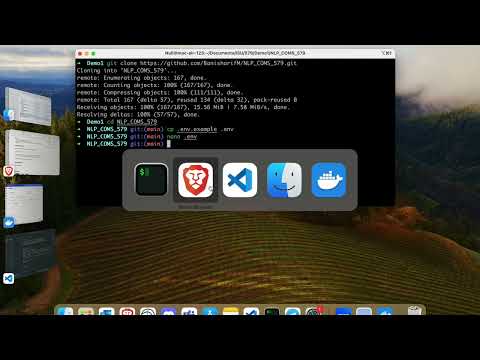
Running the command below will create a virtual environment named "openai-env" inside the current folder you have selected in your terminal / command line:
python -m venv openai-envOnce you’ve created the virtual environment, you need to activate it. On Windows, run:
openai-env\Scripts\activateOn Unix or MacOS, run:
source openai-env/bin/activateTo run the Query part and ask question, use the following command:
python -W ignore query.py --question="What is SAM?"
or
python -W ignore query.py --question="What is Mask ambiguity? write the answer in 10 words"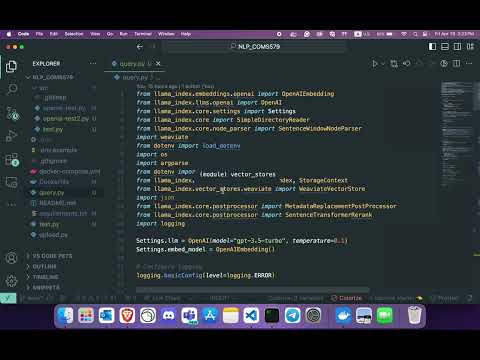

Mahdi Banisharif |

Sadegh Jafari |