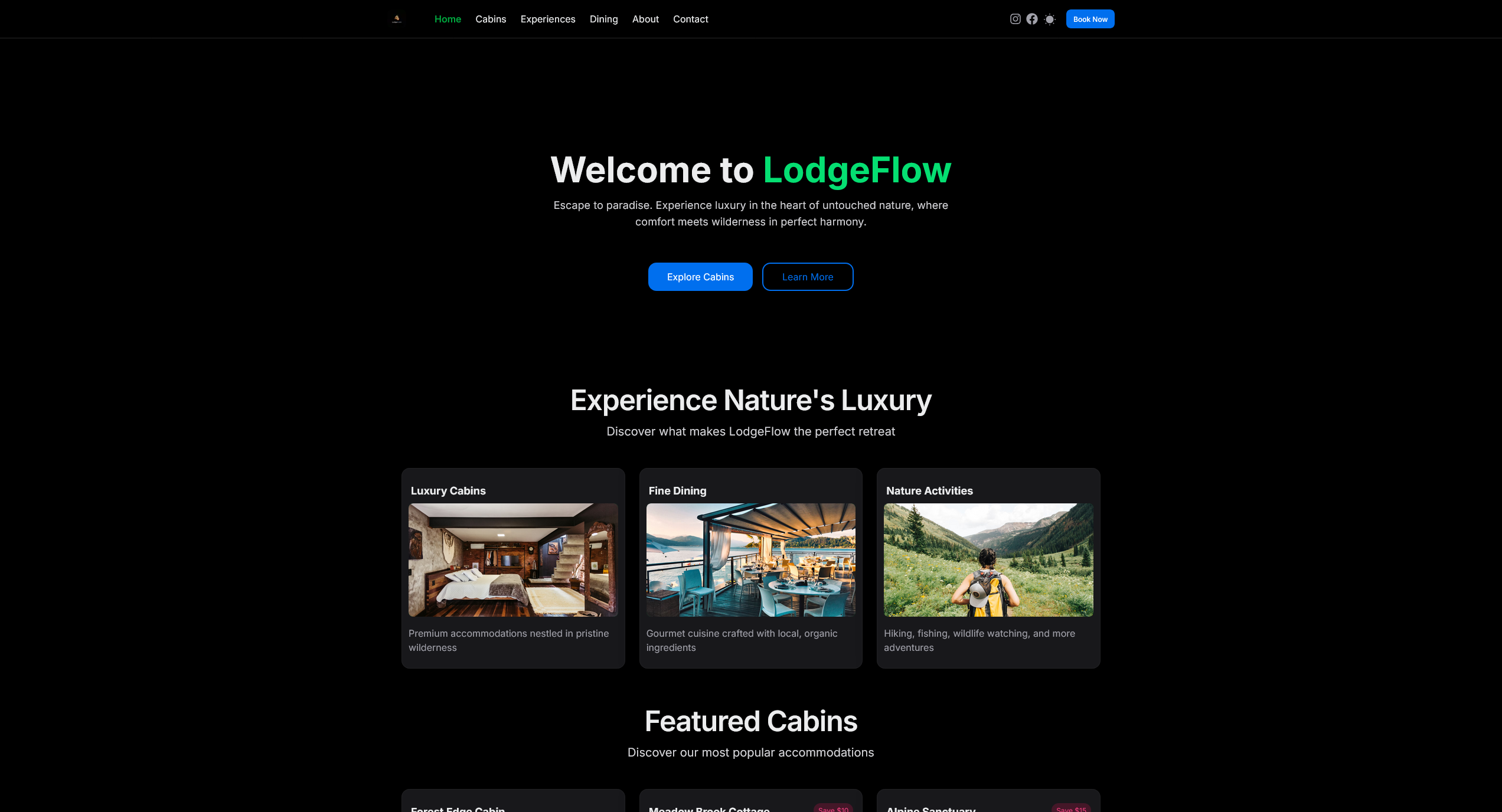





The customer-facing booking platform for LodgeFlow, a luxury wilderness resort. Built with Next.js 15, HeroUI v2, and modern web technologies for seamless guest experiences.
- 🏠 Cabin Browsing: Explore luxury cabins with detailed amenities and pricing
- 📅 Booking System: Seamless reservation flow with real-time availability
- 🍽️ Dining Reservations: Book dining experiences and view daily menus
- 🎯 Experience Booking: Reserve outdoor activities and special experiences
- 📱 Mobile Responsive: Optimized for all devices with smooth animations
- 🌙 Dark Mode: Full theme support with elegant transitions
- 🔍 Smart Filtering: Advanced search and filtering for cabins and experiences
- 💳 Secure Payments: Integrated payment processing for bookings
- Frontend: Next.js 15 • HeroUI v2 • Tailwind CSS
- Backend: MongoDB • Mongoose ODM
- Tools: TypeScript • React Query • Framer Motion
- Node.js 18+ and pnpm
- MongoDB (Atlas or local installation)
# Clone the repository
git clone https://github.com/Amadou-dot/LodgeFlow.git
cd LodgeFlow

# Install dependencies
pnpm install

# Copy environment variables
cp .env.local.example .env.local- Create a free account at Clerk
- Create a new application in the Clerk Dashboard
- Go to API Keys and copy your keys
- Add to
.env.local:
NEXT_PUBLIC_CLERK_PUBLISHABLE_KEY=pk_test_your_key_here
CLERK_SECRET_KEY=sk_test_your_key_here- In Clerk Dashboard, configure these paths:
- Sign-in URL:
/sign-in - Sign-up URL:
/sign-up - After sign-in URL:
/ - After sign-up URL:
/
- Sign-in URL:
MongoDB Atlas (Recommended)
- Create a free account at MongoDB Atlas
- Create a cluster and get your connection string
- Add to
.env.local:
MONGODB_URI=mongodb+srv://username:password@cluster.xxxxx.mongodb.net/lodgeflowLocal MongoDB
- Install MongoDB Community Server
- Start the MongoDB service
- Use the default local configuration (mongodb://localhost:27017/lodgeflow)
# Test database connection
pnpm tsx scripts/test-connection.ts

# Start development server
pnpm dev
Open http://localhost:3002 to view the customer portal.
Note: The customer portal runs on port 3002 to avoid conflicts with the admin dashboard (port 3000).
app/
├── cabins/          # Cabin browsing and details
├── dining/          # Dining reservations
├── experiences/     # Experience booking
├── contact/         # Contact information
├── api/            # API routes
└── layout.tsx      # Root layout

components/         # Reusable UI components
├── ui/            # Core UI components
└── BookingForm.tsx # Main booking components

hooks/             # Custom React hooks for data fetching
models/            # Shared MongoDB schemas
types/             # TypeScript definitions
lib/               # Utilities & configurations
Add the following to your .npmrc file:
public-hoist-pattern[]=*@heroui/*After modifying the .npmrc file, run pnpm install again.
pnpm dev          # Start development server
pnpm build        # Build for production
pnpm start        # Start production server
pnpm lint         # Run ESLint
pnpm type-check # Run TypeScript checks- LodgeFlow Admin Dashboard - Management dashboard for hotel operations
- Fork the repository
- Create your feature branch (
git checkout -b feature/amazing-feature) - Commit your changes (
git commit -m 'Add amazing feature') - Push to the branch (
git push origin feature/amazing-feature) - Open a Pull Request
This project is licensed under the MIT License.
Made by Amadou