An entry level Discord bot that is highly customizable and allows for custom made commands.
Description: This bot allows the user to customize and custom make any commands that the specific user wishes for. There are some basic commands that I found amusing and useful in my Discord servers.
Contributions: To contribute to this project, please refer to the issues page and request to take on an issue. Fork the project and then commit any changes you've made to the fork, describe what you've done as a post in the issue's thread, then send a pull request. I will review your PR and if it's all good to go I'll commit it to the main branch.
Setup:(these instruction are made based on a Windows machine) --To start this project, you need to download node.js and you'll need a discord account with either the program or the web client open. https://nodejs.org/en/
--Then you'll need to go to: https://discord.com/developers/applications and click on the "Applications" button on the top right.
--Then you'll need to go to the "bot" section of the page and enable your bot.
--Finally go to the "OAuth2" tab on that same page and create an invite link for your bot.
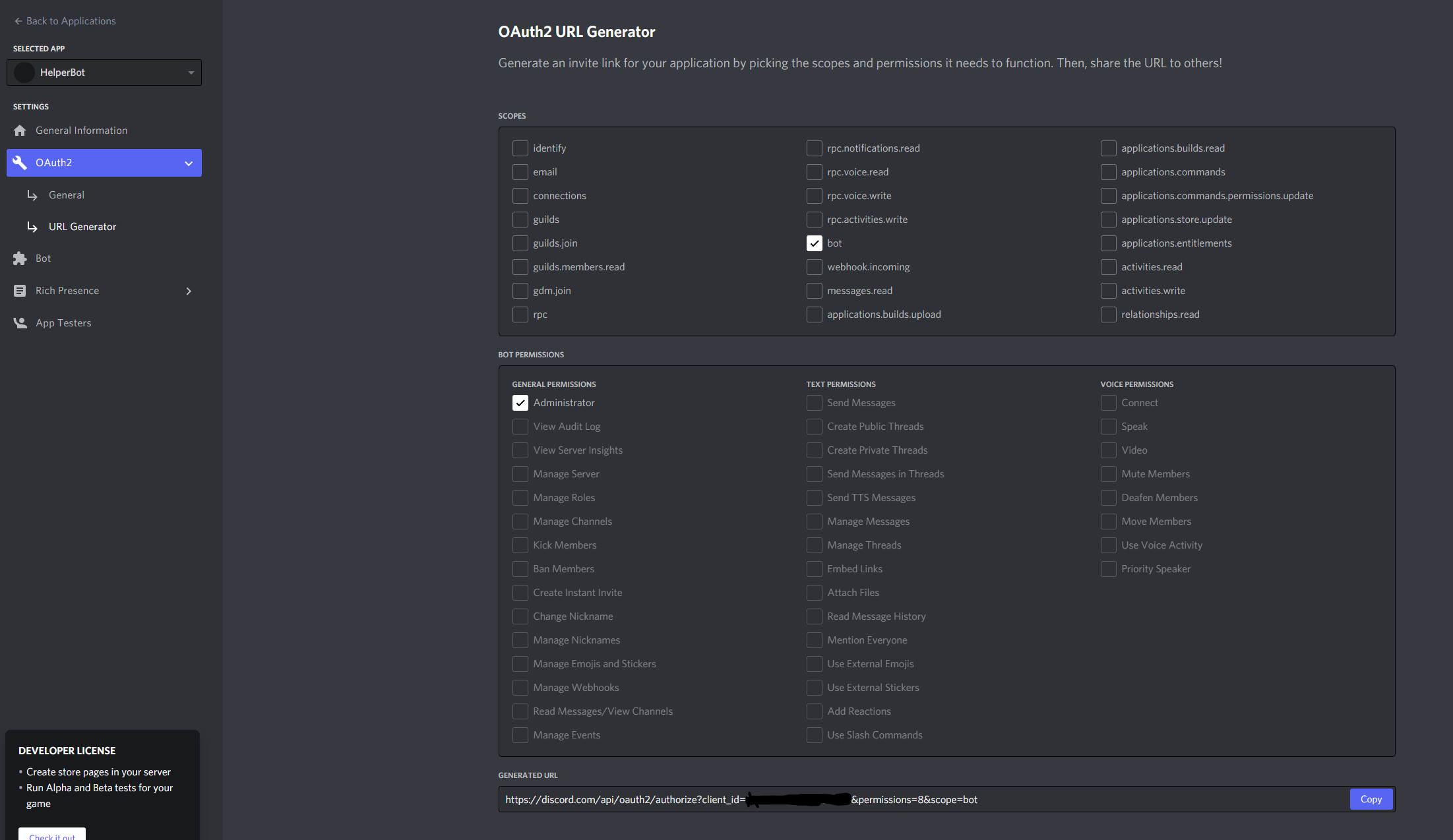 select the options in the screenshot, and then you'll have a link genereate at the bottom, this link will allow the bot to join your server.
--Afterwards, on the bot page of developer page, locate the bot's token and copy it.
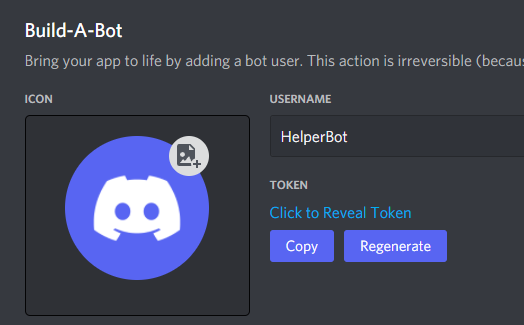
--paste that token in the clinet.login('INSERT TOKEN HERE') at the bottom of "main.js".

--Lastly, open a command console in the root directory of the project files and launch the bot by typing the command "node ." in the console.
The bot will greet you with a "HelperBot is ready for action!" in the console to let you know it's running and ready to go.

Usage: You can start using the bot by issuing the "~commands" command in your Discord server to view a list of the currently available commands.