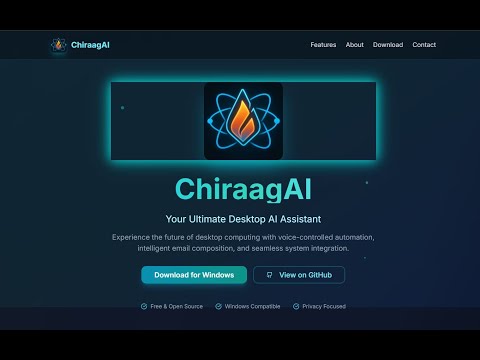
A modern, intelligent AI desktop assistant built with Python and Tkinter, featuring a sleek GUI, multimedia startup, voice interaction, and real-time automation. Designed to feel futuristic yet functional — your personal productivity booster.

- 🎨 Modern UI — Beautiful, responsive Tkinter interface with custom fonts and themes
- 🎞️ Multimedia Startup — Animated intro using MP4 + MP3 (just like JARVIS 😉)
- 🎙️ Voice Recognition — Speak commands using your mic, powered by Google Speech
- 🤖 AI-Powered — Integrates Gemini API for smart responses and Murf TTS for realistic voice
- 🧠 Custom Automation — Control apps, open websites, take screenshots, and more
- 🔧 Configurable — Use
config_manager.pyto manage API keys and preferences - 📦 One-Click Executable — Available as a single
.exe(see Releases)


ChiraagAI-Dev/
├── main.py             # Main application
├── config_manager.py        # Handles API key & config management
├── startup.mp4              # Startup intro video
├── startup.mp3              # Startup audio
├── logo.png                 # App logo
├── ChiraagAI-Icon.ico       # Windows icon
├── ChiraagAI-Icon.png       # Fallback icon
├── README.md                # This file
└── requirements.txt         # Required dependencies
- Python 3.7+
- pip
git clone https://github.com/AayushBeura/ChiraagAI-Dev.git
cd ChiraagAI-Dev
python -m venv .venv
.\.venv\Scripts\Activate
pip install -r requirements.txt
python main.pyYou can build a standalone .exe using PyInstaller:
pyinstaller --onefile --windowed --icon=ChiraagAI-Icon.ico --add-data "ChiraagAI-Icon.ico;." --add-data "ChiraagAI-Icon.png;." --add-data "logo.png;." --add-data "startup.mp4;." --add-data "startup.mp3;." --add-data "config_manager.py;." --name ChiraagAI main.pypyinstaller --onefile --windowed --icon=ChiraagAI-Icon.ico \
--add-data "startup.mp3:." \
--add-data "startup.mp4:." \
--add-data "logo.png:." \
--add-data "ChiraagAI-Icon.png:." \
--add-data "ChiraagAI-Icon.ico:." \
--add-data "config_manager.py:." \
--name ChiraagAI ChiraagAI.py📦 The built executable will be available in the
dist/folder.
Head over to the Releases Page to download the latest version of the .exe — no setup required. Just download and run!
✅ All necessary files are embedded
✅ No need to install Python or dependencies
✅ Works out-of-the-box on most Windows machines
# Create a virtual environment
python -m venv .venv
.\.venv\Scripts\Activate

# Install dependencies [should already be installed]
pip install -r requirements.txt

# Run
python main.pyRun the provided
.exefile or build the file, and open the executable. When it prompts for the API Keys, configure them and the keys get saved onto a local cache JSON File.
- 🌐 Gemini API key
- 🔊 Murf TTS API key
- 🛠 Additional settings (voice, model parameters, etc.)
You may optionally use
.envfiles for keeping keys secure.
Want to contribute? Fork this repo and:
git checkout -b feature/amazing-idea
git commit -m "✨ Implemented amazing idea"
git push origin feature/amazing-idea
Then open a pull request!
Licensed under the MIT License
If you face any issues:
- Create a GitHub Issue
- Ping me on GitHub
Aayush Beura
🔗 @AayushBeura
📧 Passionate about AI + Automation + Experience Design