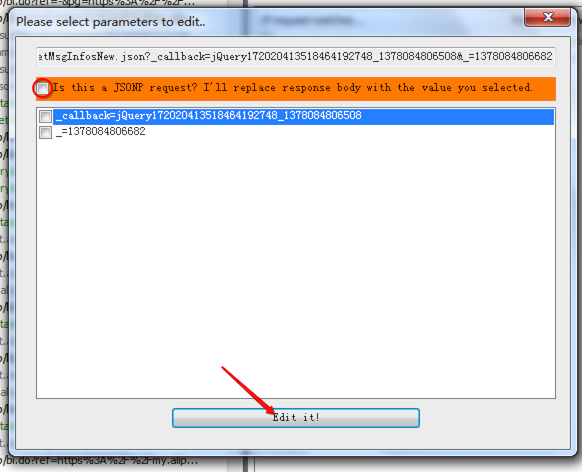
- Support edit request matched selected parameters, you can edit
jsonrequest now;
-
Support edit
jsonprequest, will replace callback function automatically; -
Fix install.bat script;
Fedit is a plugin for Fiddler. You can use this plugin to edit response directly, instead of add AutoResponder rule manually.
This plugin required Fiddler version 2.1.1.3 or later.
#Install
Run the bat file install.bat at root path, or:
Copy Fedit/bin/Release/Fedit.dll to %My Documents%/Fiddler2/Scripts/.
or copy to ``%Program Files%/Fiddler2/Scripts/` (Fiddler install path).
If success, u will see a Fedit tab at the right of Fiddler application.
#Usage
- Select one or more sessions in session list.
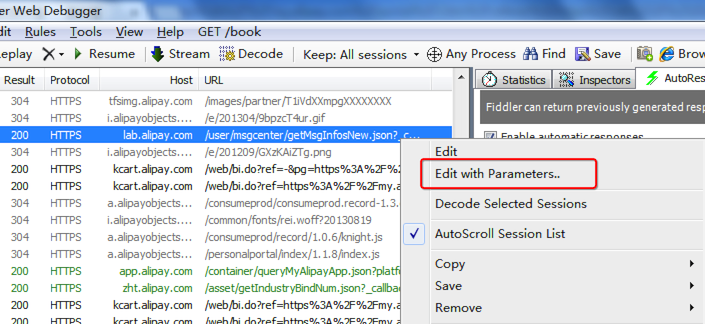
- Right-click, execute
EditorEdit with Parameters..command in popup menu.
Note: You do not need to remove AutoResponder rule or delete the temporary file, it will clean automatically when next time you start up Fiddler.
- Edit .htm:
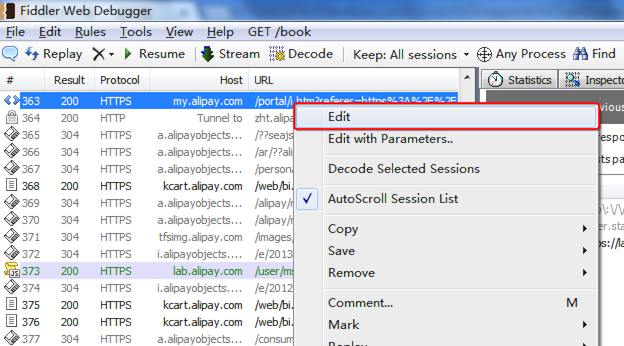
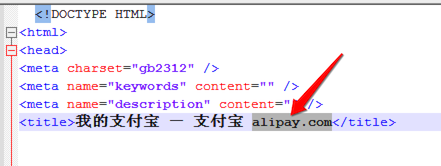

- Edit
jsonrequest, which with one or more random parameter, or editjsonprequest, which with one callback function name:
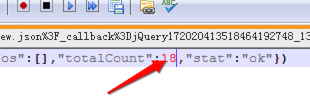
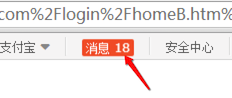
If installed correctly, you will see a tab page at left side of fiddler named "Fedit".
Add your favor editor for file type, e.g.
default notepad
.css notepad
.js C:\Program Files\Notepad++/notepad++.exe
.txt notepad
.htm C:\Program Files\Notepad++/notepad++.exe
Notice that, filetype must start with .
By default, there is a default editor for you notepad.
- Twitter: @ethan168
- Email: wsvn53@gmail.com
- Blog: http://imethan.com