Behavior - Assets are not getting updated with the new default workflow. Steps to reproduce: 1) Create a new workflow called "NewWFTest" and make it the default workflow on the Admin tab. 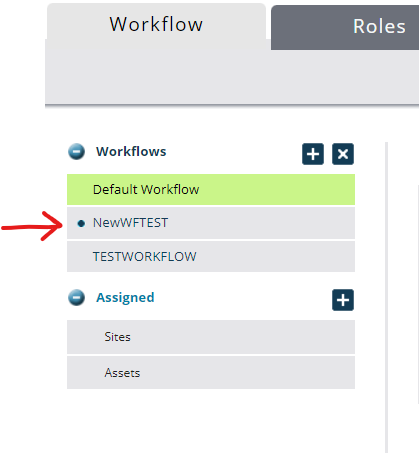 2) On the Sites - verify that the new workflow is set on the pages. 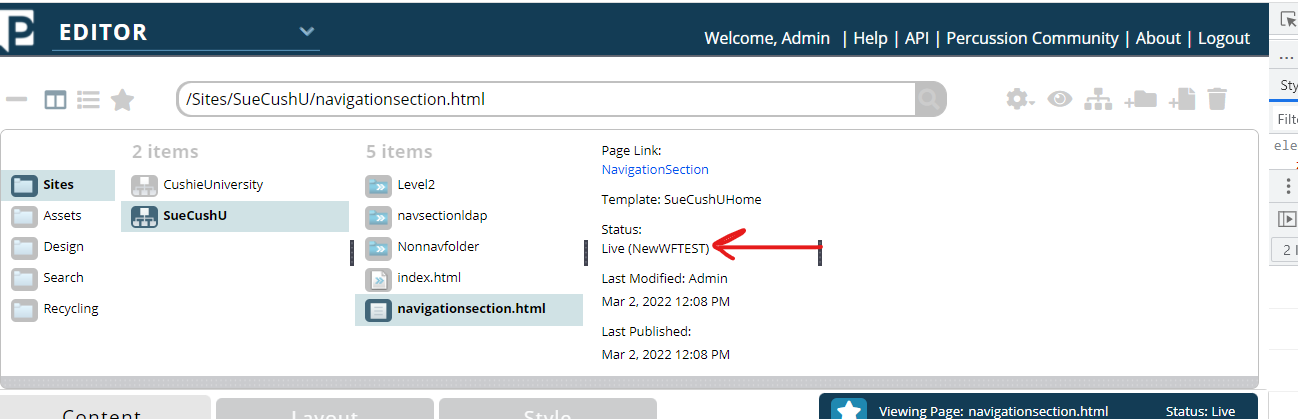 3) Go to the Assets - you will see that the new default workflow has not been updated on any Assets. 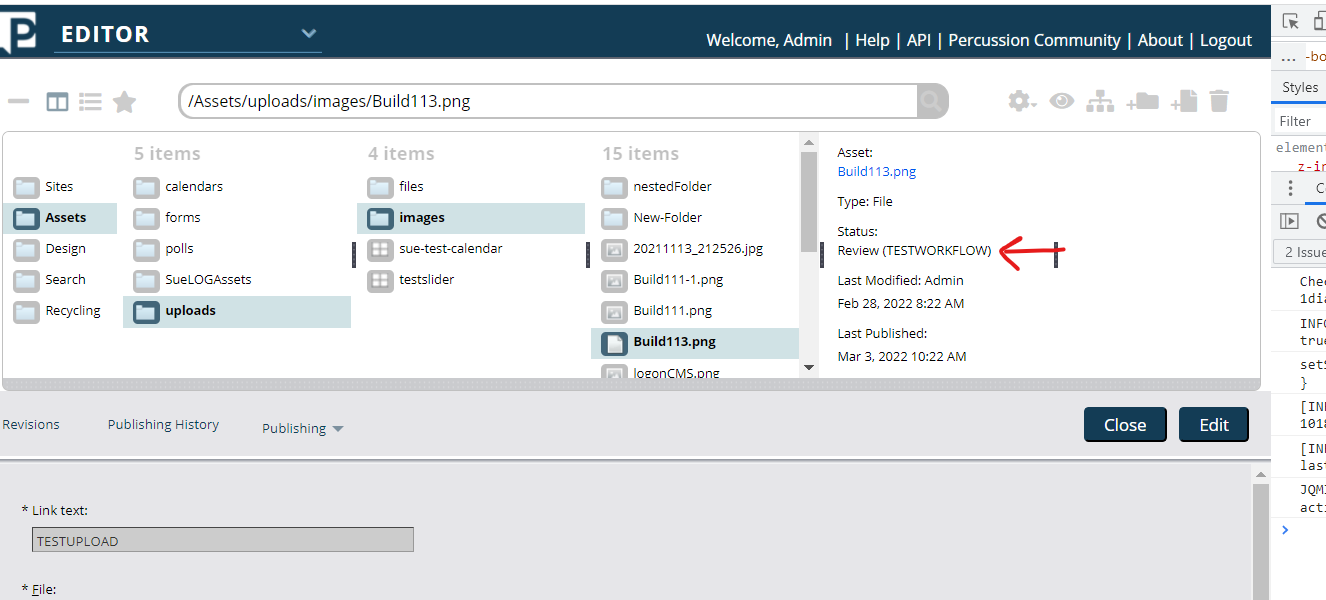 I also created a new image Asset called: image-2022-03-07-08-25-39-367.png 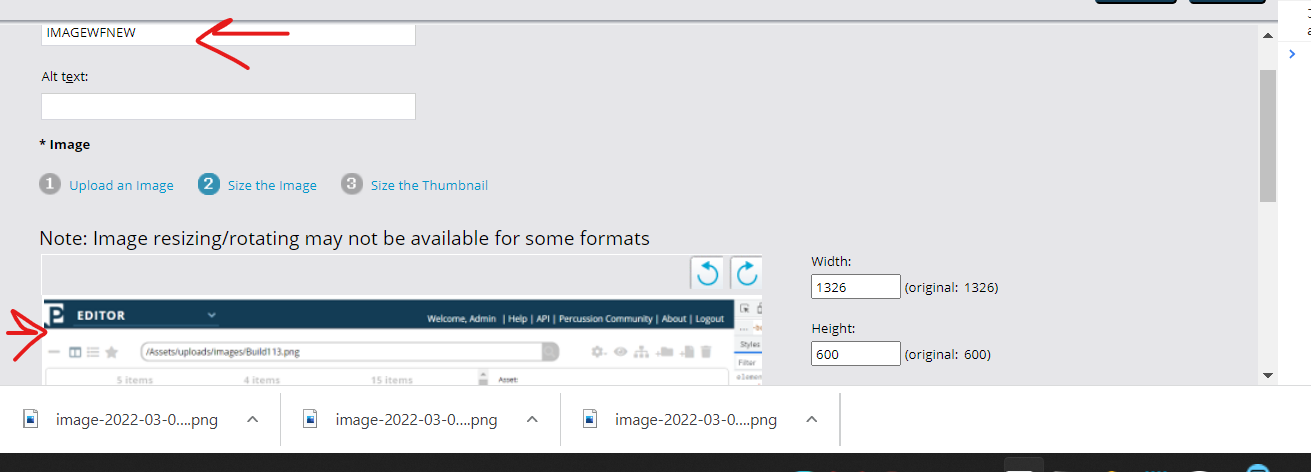 When I go back into the finder, it still shows the incorrect Default Workflow 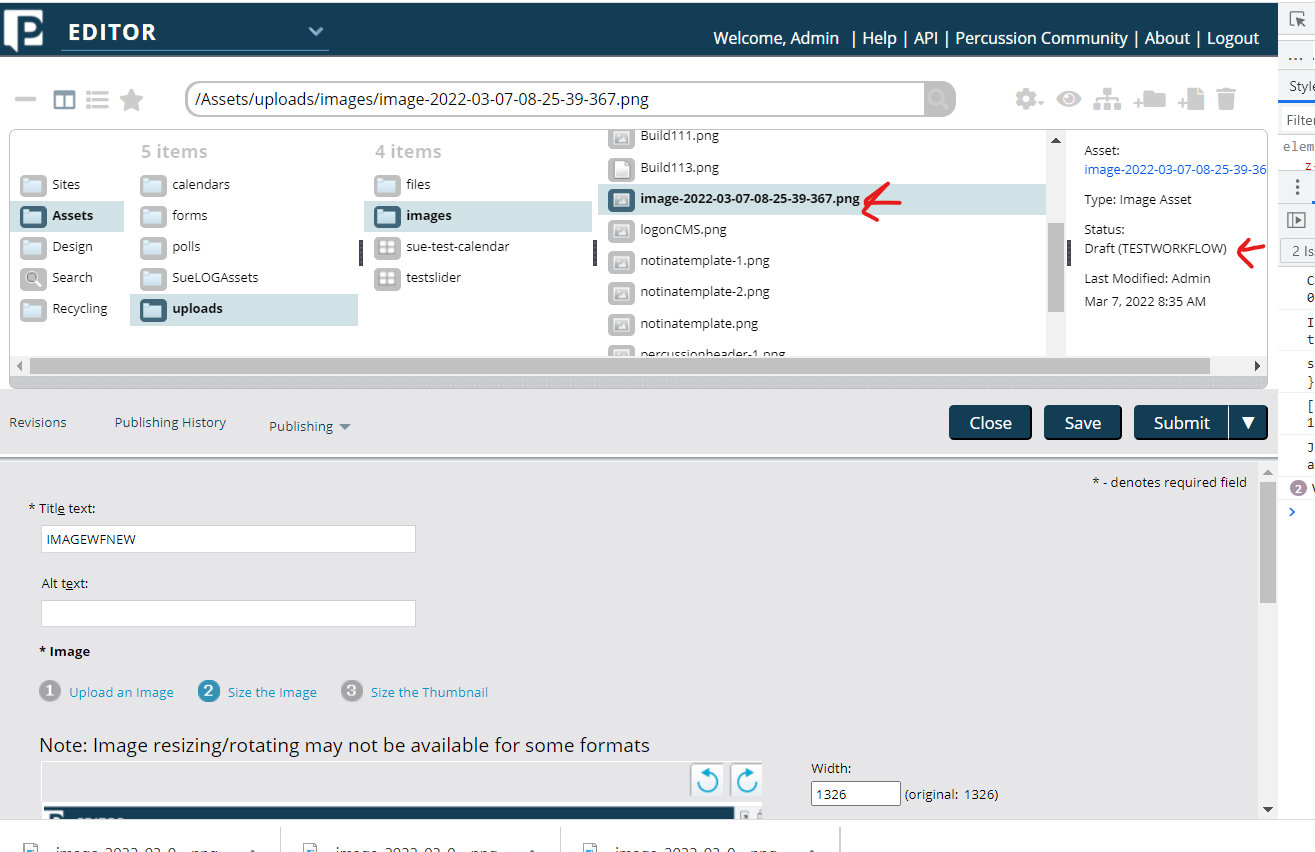
Behavior - Assets are not getting updated with the new default workflow.
Steps to reproduce:
Create a new workflow called "NewWFTest" and make it the default workflow on the Admin tab.

On the Sites - verify that the new workflow is set on the pages.

Go to the Assets - you will see that the new default workflow has not been updated on any Assets.

I also created a new image Asset called:
image-2022-03-07-08-25-39-367.png

When I go back into the finder, it still shows the incorrect Default Workflow
