You signed in with another tab or window. Reload to refresh your session.You signed out in another tab or window. Reload to refresh your session.You switched accounts on another tab or window. Reload to refresh your session.Dismiss alert
{{ message }}
This repository was archived by the owner on Feb 23, 2023. It is now read-only.
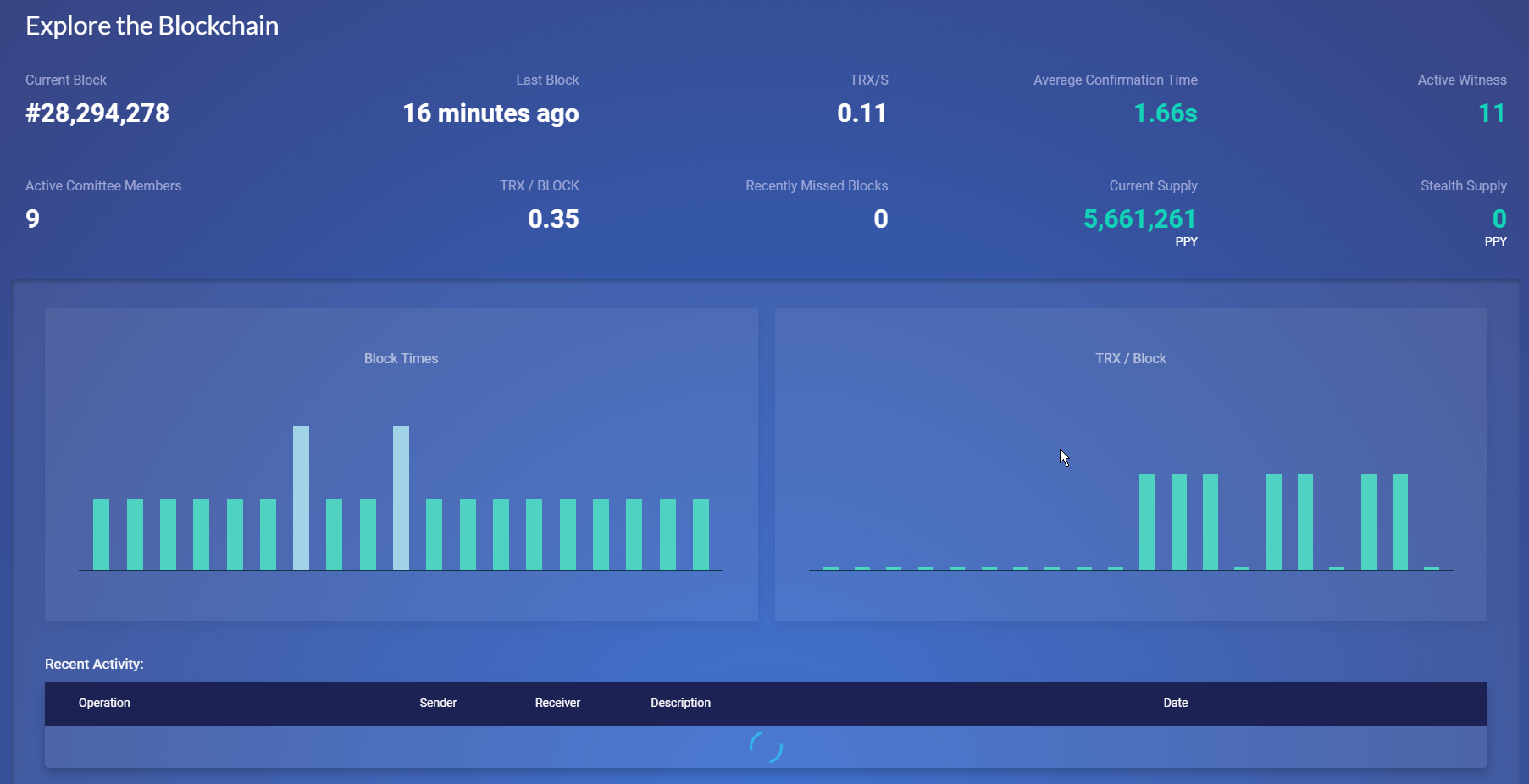
At inconsistently reproducible times/conditions, the Network tab data does not load live data.
Impacts
Describe which portion(s) of Peerplays may be impacted by this bug. Please tick at least one box.
API (the application programming interface)
Build (the build process or something prior to compiled code)
Deployment (the deployment process after building such as Docker, Gitlab, etc.)
Performance (system or user efficiency, etc.)
Security (the security of system or user data, etc.)
UX (the User Experience)
Other (please add below)
Steps To Reproduce
Login to the Peerplays Core GUI wallet.
Click the "Network" tab button in the top left-most side of the menu.
Expected Behavior
Peerplays blocks are produced every three seconds so, every three seconds (roughly) there should be new data populating the Network tab data.
Screenshots (optional)
If applicable, add screenshots to help explain process flow and behavior.
Host Environment
Please provide details about the host environment. Much of this information can be found by checking the "About This Mac" on macOS; going to Control Panel > System and Security > System on Windows OS; checking the application version in the top middle of the application window

Bug Description
At inconsistently reproducible times/conditions, the Network tab data does not load live data.
Impacts
Describe which portion(s) of Peerplays may be impacted by this bug. Please tick at least one box.
Steps To Reproduce
Expected Behavior
Peerplays blocks are produced every three seconds so, every three seconds (roughly) there should be new data populating the Network tab data.
Screenshots (optional)
If applicable, add screenshots to help explain process flow and behavior.
Host Environment
Please provide details about the host environment. Much of this information can be found by checking the "About This Mac" on macOS; going to Control Panel > System and Security > System on Windows OS; checking the application version in the top middle of the application window
PBSA / Developer tasks