


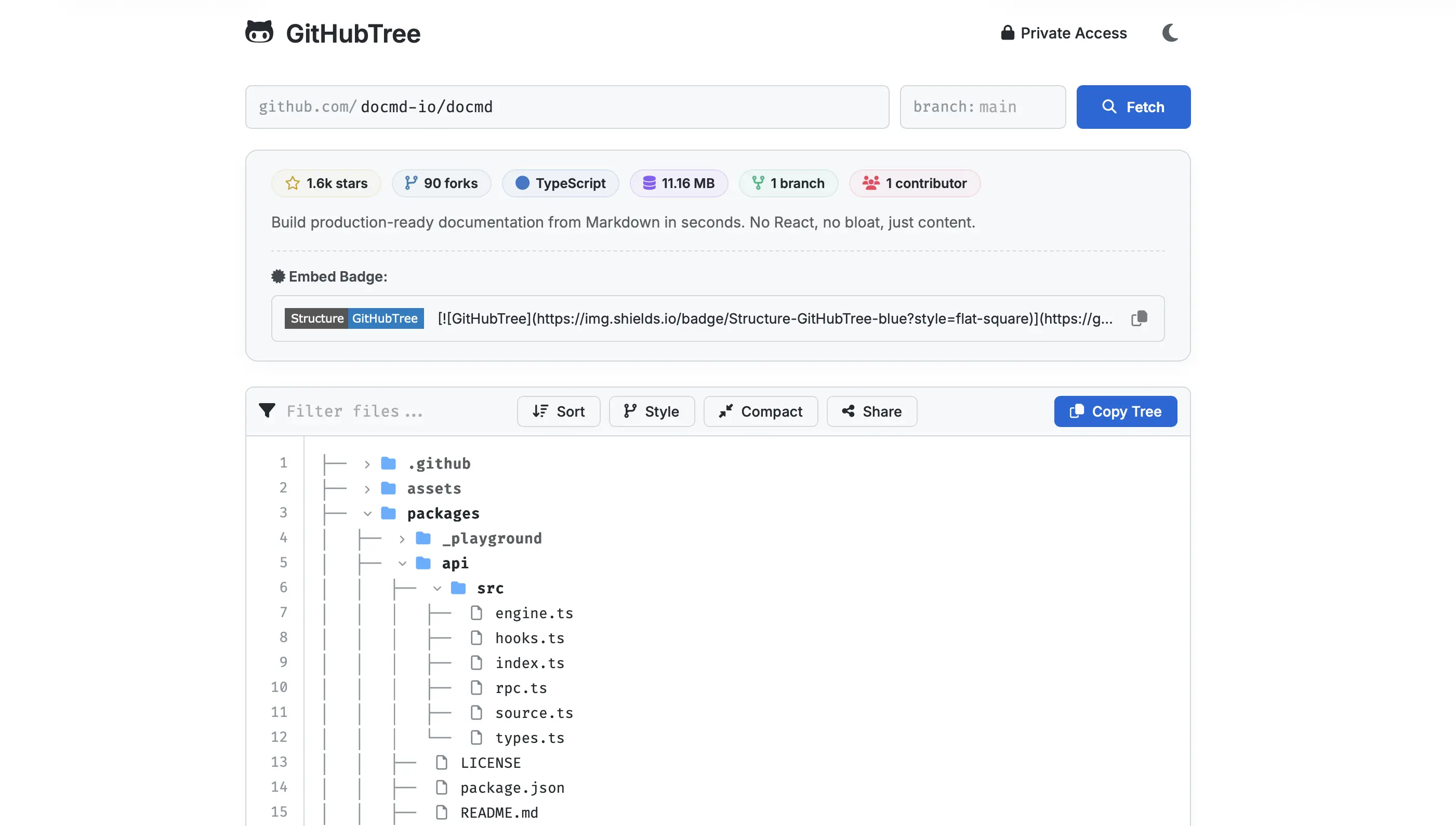
GitHubTree allows you to explore, navigate, and generate formatted directory trees for any GitHub repository without cloning. Perfect for documentation, code reviews, and project overviews.
- Instant Explorer: Visualize any public repository (e.g.,
facebook/react). - Media-Aware File Previewer: Live preview code, images (with transparency checkerboard support), and audio elements natively in the web dashboard.
- Repository Meta Intelligence: Get instant rich statistics (repository size, stargazers, forks, branch totals, and active contributors) inside a color-matched dashboard.
- Interactive Embeddable Badges: Share and showcase your repository structure in README files using a custom shields.io Markdown badge generator.
- High Performance & Limit-Free: Zero-API rate-limit usage for public file previews utilizing direct raw CDN fetches with highly efficient session-wide caching.
- Intelligent Navigation: Search and filter files in real-time with parent-folder context preservation.
- Interactive Controls: Unified tree toggles (Compact/Expand) and collapsible folder support.
- Visual Styles: Choose between Classic (└──), Slashed (/src), Minimal, ASCII (+--), and Bulleted (•).
- Private Repository Access: Securely access personal repos using a GitHub PAT (stored only in your browser).
- Deep Linking: Share links that persist your branch, filter, sort, and style settings.
Generate directory trees directly in your terminal.
npx gh-tree user/reponpm install -g gh-treegh-tree <user/repo> [flags]Flags:
--branch,-b <name>: Specify branch (default:main)--depth,-d <num>: Limit recursion depth--ignore,-i <patterns>: Ignore patterns (comma-separated, e.g.node_modules,*.log)--style <type>: Visual style (classic,bulleted,minimal, etc.)--json: Output raw JSON data instead of ASCII--icons: Show file/folder icons in output--token,-t <key>: Use a specific GitHub Token--save-token <key>: Save a token globally for future use--clear-cache: Clear local tree cache
# Basic usage
gh-tree mgks/githubtree

# Limit depth and ignore specific patterns
gh-tree facebook/react -d 2 -i "node_modules,*.log"

# Show icons and use a specific branch
gh-tree user/repo --branch develop --icons

# Output as JSON for processing
gh-tree user/repo --json > tree.jsonUse the core engine to integrate tree generation into your own Node.js applications.
npm install gh-treeimport { GitHubTree } from 'gh-tree';
const gt = new GitHubTree(process.env.GITHUB_TOKEN);
try {
const { tree } = await gt.getTree('mgks/githubtree', 'main');
const output = gt.generateAsciiTree(tree, { style: 'classic', icons: true });
console.log(output);
} catch (err) {
console.error(err);
}packages/core: Core logic, API fetcher, and CLI tool.packages/web: Vite-based Web Application.tools/: SEO and static page generation scripts.
- Clone & Install:
git clone https://github.com/mgks/GitHubTree.git cd GitHubTree npm install - Run Development Server:
npm run dev - Deploy Production Build:
npm run deploy
Contributions are welcome! If you have a feature request, bug report, or a pull request, please feel free to open an issue or submit a PR on GitHub.
- Fork the Repo
- Create a Feature Branch (
git checkout -b feature/amazing-feature) - Commit Changes (
git commit -m 'Add amazing feature') - Push to Branch (
git push origin feature/amazing-feature) - Open a Pull Request
MIT

