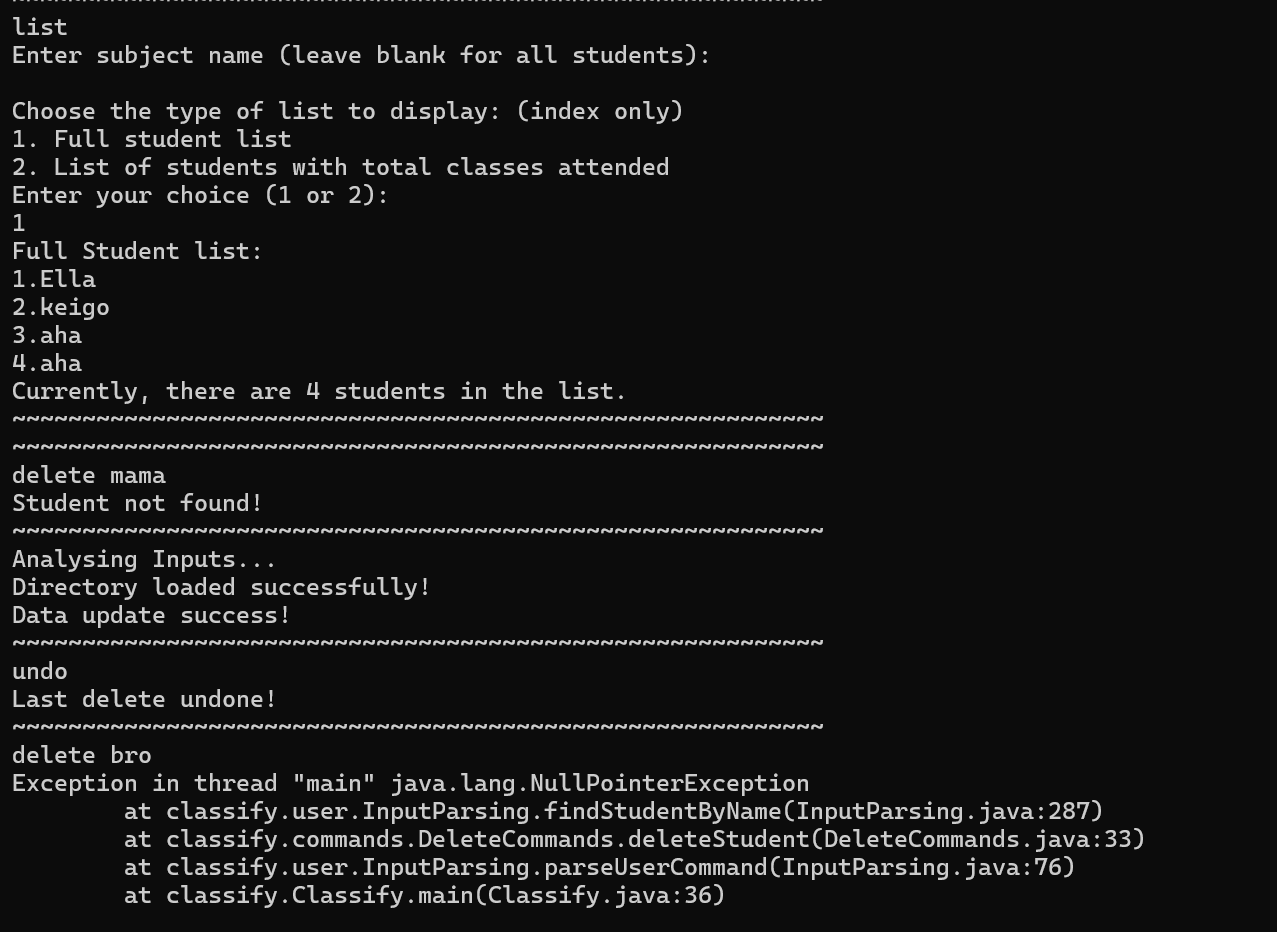
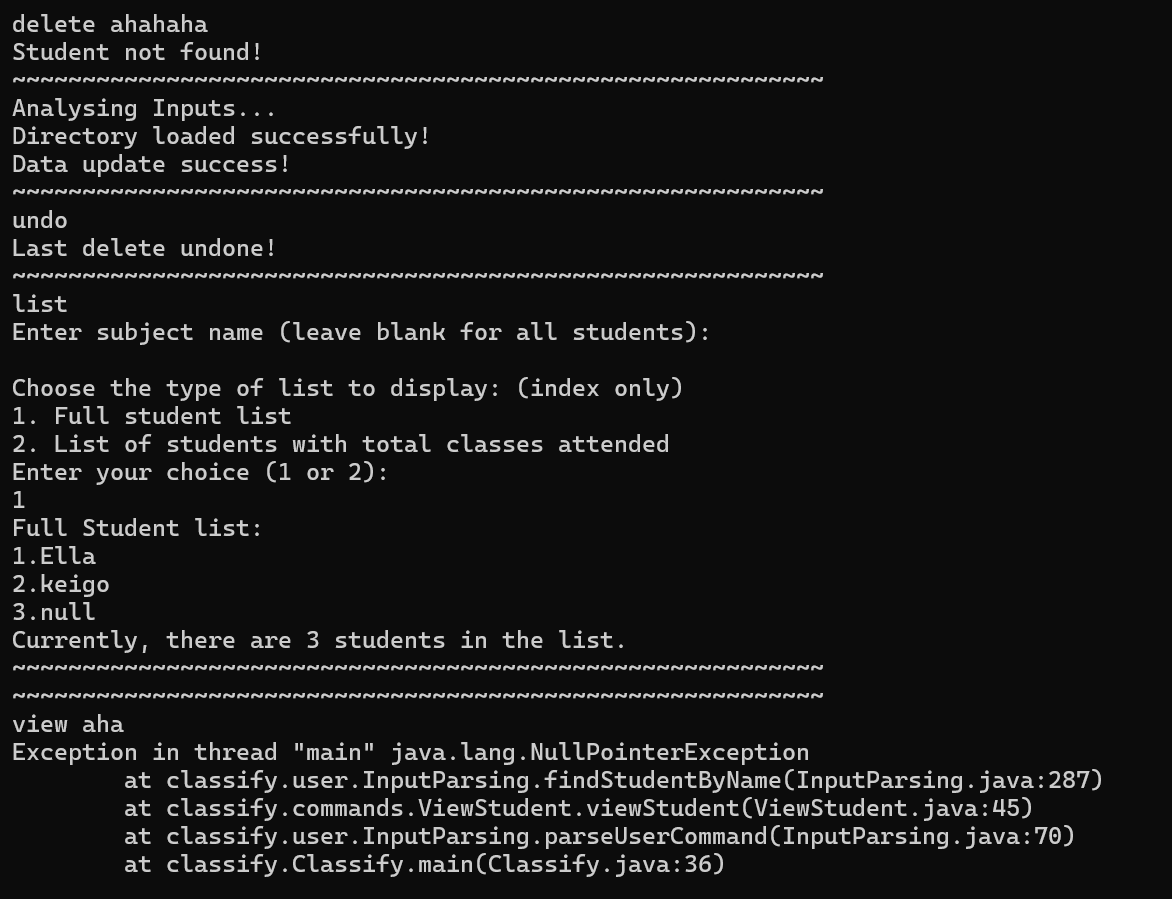
When the delete function is used on a student that does not exist, the exception message "Student not found!" is shown before showing a data update success message. If the undo feature is then called, followed by the delete feature again, an error is thrown and the app crashes. If viewing all students, the last user's data is corrupted into null. (In the second image, "aha" was the name of the student under 3.)
When the delete function is used on a student that does not exist, the exception message "Student not found!" is shown before showing a data update success message. If the undo feature is then called, followed by the delete feature again, an error is thrown and the app crashes. If viewing all students, the last user's data is corrupted into null. (In the second image, "aha" was the name of the student under 3.)

