Describe the bug
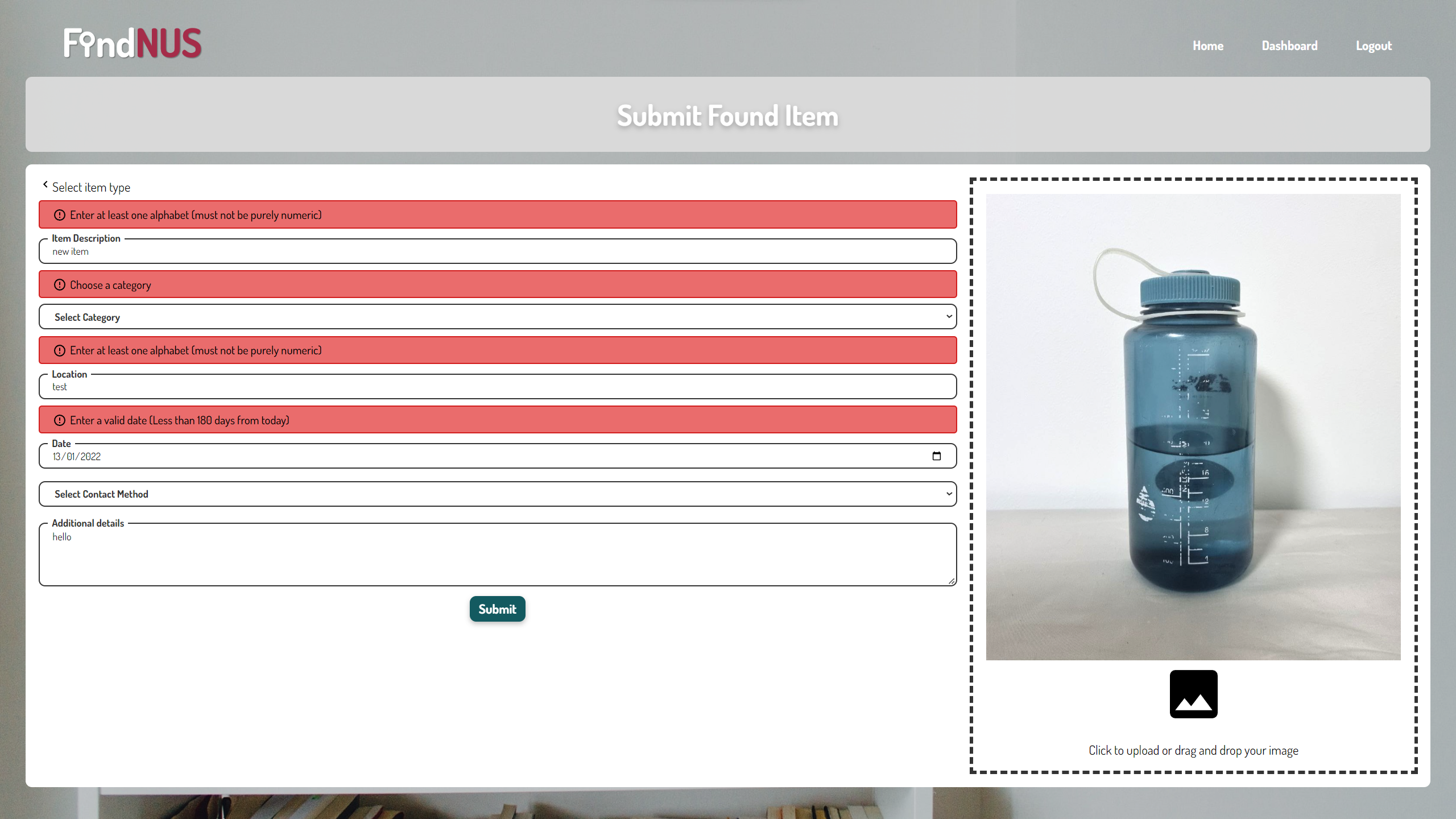
Item appears to be rendered in submission form when user aborts editing an uploaded item
Steps to reproduce the issue
- Login into the application
- Go to dashboard items
- Select any existing item and click edit
- Use any of the navigation buttons to 'abort' the item ediitng
- Go to 'submit an item' and click either found or lost button
- Form fields appear to be filled but are not stored in application
What's the expected result?
A clean form is rendered
What's the actual result?
A form with ghost items rendered, form submission results in errors for pre-filled fields
Screenshots (If applicable)
Desktop (please complete the following information):
- OS: Windows
- Browser Brave
- Version 1.40.113 Chromium: 103.0.5060.114 (Official Build) (64-bit)
Describe the bug
Item appears to be rendered in submission form when user aborts editing an uploaded item
Steps to reproduce the issue
What's the expected result?
A clean form is rendered
What's the actual result?
A form with ghost items rendered, form submission results in errors for pre-filled fields
Screenshots (If applicable)

Desktop (please complete the following information):